



SSH is the backbone of secure remote server management in web hosting. It replaces older, plaintext protocols like Telnet and FTP with an encrypted connection that protects every command, credential, and file you transmit. Whether you’re fixing a broken plugin at 2 AM or automating weekly backups, SSH is how you get direct, reliable access to your server without exposing sensitive data to anyone watching the network.
SSH encrypts communication, verifies the identity of both client and server, and maintains data integrity across every session, making it the standard protocol for remote server administration in modern web hosting environments.
SSH’s relevance depends heavily on your hosting type. For basic shared hosting, you may never need it. For VPS and dedicated servers, it’s the primary tool for configuration, automation, and recovery. The IETF’s SSH protocol architecture defines three core components: a transport layer that handles encryption and server authentication, a user authentication layer, and a connection protocol that multiplexes the encrypted tunnel into multiple logical channels for shell sessions, file transfers, and port forwarding simultaneously.
- Encrypted communication: All data between your machine and the server travels through an encrypted tunnel, preventing interception.
- Strong authentication: SSH supports password login, public key pairs, and two-factor authentication.
- Data integrity: Every packet is verified, so tampering mid-transit is detectable.
- SFTP support: SSH underpins the Secure File Transfer Protocol, replacing unencrypted FTP for file management.
How to enable and use SSH on your hosting account
Not every hosting plan ships with SSH enabled by default. On shared hosting, you often need to request access through your provider’s support team. On VPS and dedicated servers, SSH is typically active from the moment the server is provisioned.
Step-by-step: enabling SSH via cPanel
- Log into cPanel and navigate to the Security section.
- Click Manage SSH Keys to open the key management interface.
- Select Generate a New Key or import an existing public key.
- Authorize the key so cPanel recognizes it for login.
- Note your server’s hostname or IP address, your username, and the SSH port (default is 22).
- Open a terminal (Linux/macOS) or an SSH client like PuTTY (Windows).
- Connect with the command:
ssh [email protected] -p 22 - If using a key file, add the identity flag:
ssh -i ~/.ssh/id_rsa [email protected]
For password-based login, you enter your account password when prompted. For key-based login, the server matches your public key against the private key on your machine, and no password is transmitted at all.
Pro Tip: Generate a separate SSH key pair for each server or project you manage. Store private keys in a password-protected location like a hardware key manager or an encrypted vault. Never share a private key, and rotate keys whenever a team member leaves.

What you can actually do with SSH in web hosting
SSH’s practical value goes well beyond opening a terminal window. Here’s where it earns its place across different hosting environments.
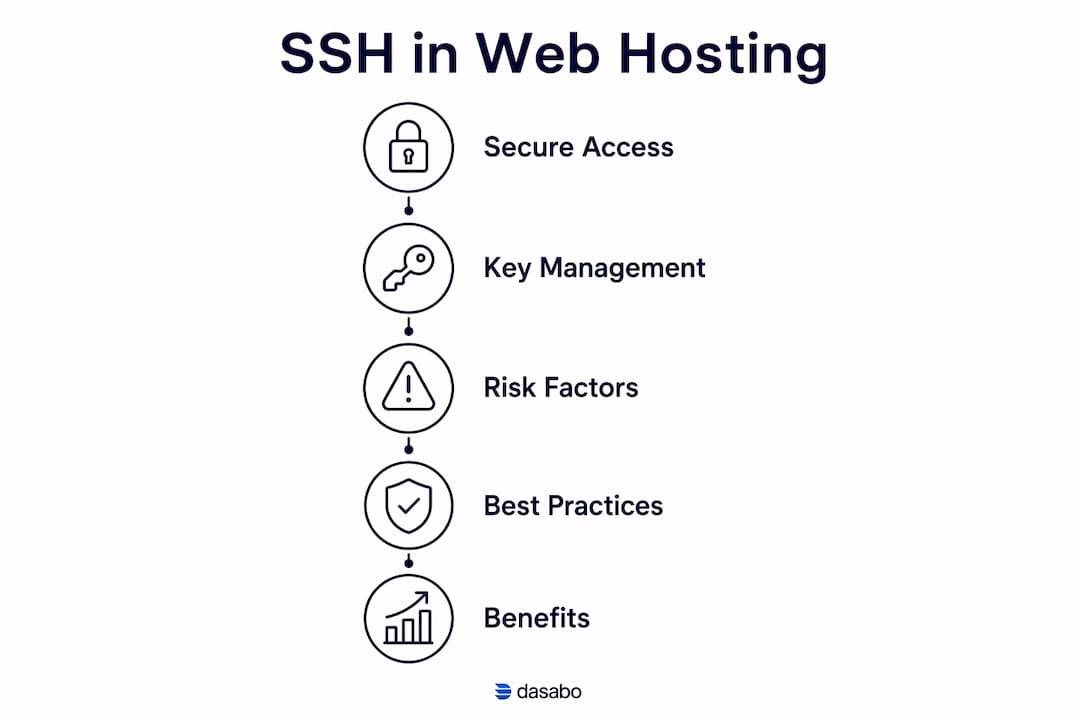
- Remote server administration. You can install software, edit configuration files, restart services, and manage users directly from the command line, without waiting for a control panel to load or crash.
- Secure file transfers with SFTP. SSH powers SFTP file transfers, which encrypt both login credentials and file contents, unlike standard FTP which sends everything in plaintext.
- Deployment automation. Scripts triggered over SSH can pull code from a Git repository, run database migrations, and clear caches in a single command. Teams managing multiple sites rely on this for consistent, repeatable deployments.
- Scheduled backups. Cron jobs executed via SSH can compress and transfer backups to remote storage on a schedule, without any manual intervention.
- Troubleshooting when dashboards fail. When a faulty plugin breaks your WordPress admin or a misconfigured file locks you out of cPanel, SSH lets you disable the plugin, fix file permissions, or restore a backup directly from the command line.
- SSH tunneling and port forwarding. SSH can encrypt port forwarding traffic between your machine and the server, letting you securely access a remote database or internal service as if it were running locally. This is particularly useful for database administration tools that shouldn’t be exposed to the public internet.
- VPS and dedicated server management. SSH is essential for dedicated server environments where you control the full stack. Shared hosting users rarely need it, but anyone running custom applications, automation tools like WP-CLI, or containerized workloads depends on it daily.
Security risks you need to know before opening SSH access
SSH is secure by design, but poor configuration turns it into an open door. Approximately 20 million SSH services are exposed to the public internet, making them frequent targets for brute-force attacks and botnet probing. The protocol itself isn’t the problem. The configuration around it usually is.
- Brute-force attacks on password login. Automated bots cycle through credential combinations against any publicly reachable SSH port. Password authentication is the most common entry point for this type of attack.
- Compromised private keys. Key-based authentication is far stronger than passwords, but a stolen private key grants full server access with no further checks. Untracked or unrevoked keys are a persistent risk, especially in team environments.
- Key sprawl. Large organizations can accumulate hundreds of thousands of unattended SSH keys, many of which grant elevated or root-level access. Most teams don’t audit these regularly.
- Overprivileged automated access. Automated processes using SSH service accounts often carry more permissions than they need. NIST guidance recommends restricting automated SSH access to only the commands and resources actually required.
- SSH traffic masking malicious activity. Because SSH encrypts everything, it can hide attacker commands from traditional network monitoring tools. Vigilant log monitoring is the only reliable way to catch unusual session behavior after authentication.
- Permissive forwarding settings. SSH tunneling is powerful, but misconfigured forwarding rules can create reverse access paths into your network or act as a proxy for arbitrary traffic. Restrict forwarding to explicitly approved use cases.
Best practices that actually reduce risk:
- Disable root login in
sshd_configand require users to escalate privileges manually. - Change the default port from 22 to reduce automated scan noise, but treat this as hygiene, not a security fix. Real protection comes from authentication and access controls, not the port number.
- Enable rate limiting and connection penalties to reduce brute-force load before authentication even begins.
- Audit authorized keys files regularly and revoke any key that is no longer in active use.
- Use short-lived, identity-bound certificates instead of static keys wherever your infrastructure supports it.
Pro Tip: Integrate SSH key provisioning with a ticketing or change-tracking system. When access requests go through an approval workflow, you get an automatic audit trail and can revoke keys the moment they’re no longer needed, without hunting through dozens of servers manually.
Dasabo’s hosting security practices are built around these principles, giving you a foundation that doesn’t require you to configure everything from scratch.
Key Takeaways
SSH is the standard protocol for secure remote server access in web hosting, and its security depends entirely on how it is configured and managed, not just that it is enabled.
| Point | Details |
|---|---|
| SSH replaces insecure protocols | SSH encrypts all communication, replacing Telnet and FTP across VPS and dedicated hosting environments. |
| Key-based auth is stronger | Public key authentication eliminates password brute-force risk, but private keys must be stored and rotated carefully. |
| Numerous publicly reachable SSH ports attract constant automated attacks | Publicly reachable SSH ports attract constant automated attacks, making configuration discipline non-negotiable. |
| Port changes alone don’t secure SSH | Changing the default port reduces scan noise but leaves the underlying trust model unchanged without proper access controls. |
| Audit keys and permissions regularly | Untracked SSH keys, especially for automated processes, are among the most common sources of unauthorized server access. |
Ready to host on a platform built for secure access?

Dasabo offers VPS and dedicated hosting plans with full SSH access, NVMe SSD storage, and a 99.9% uptime guarantee. Whether you’re managing a single site or a fleet of applications, Dasabo gives you the infrastructure and the control to do it securely. Over 20,000 customers already trust Dasabo with their hosting. Explore the plans and find the one that fits your setup.