




Affordable portfolio hosting is defined as a web hosting setup that costs under $20 per month while still delivering professional performance, a custom domain, and SSL security. Freelancers and independent creatives can absolutely launch a portfolio site with cheap hosting without sacrificing speed or credibility. The key is matching your hosting type to your actual needs. Static site hosting, shared hosting, managed WordPress plans, and all-in-one website builders each serve different skill levels and budgets. A custom domain runs roughly $10–$15 per year, and SSL certificates come free with most reputable hosts. Your portfolio is your primary marketing asset, and the right cheap hosting plan makes it look anything but cheap.
What hosting options are best for affordable portfolio websites?
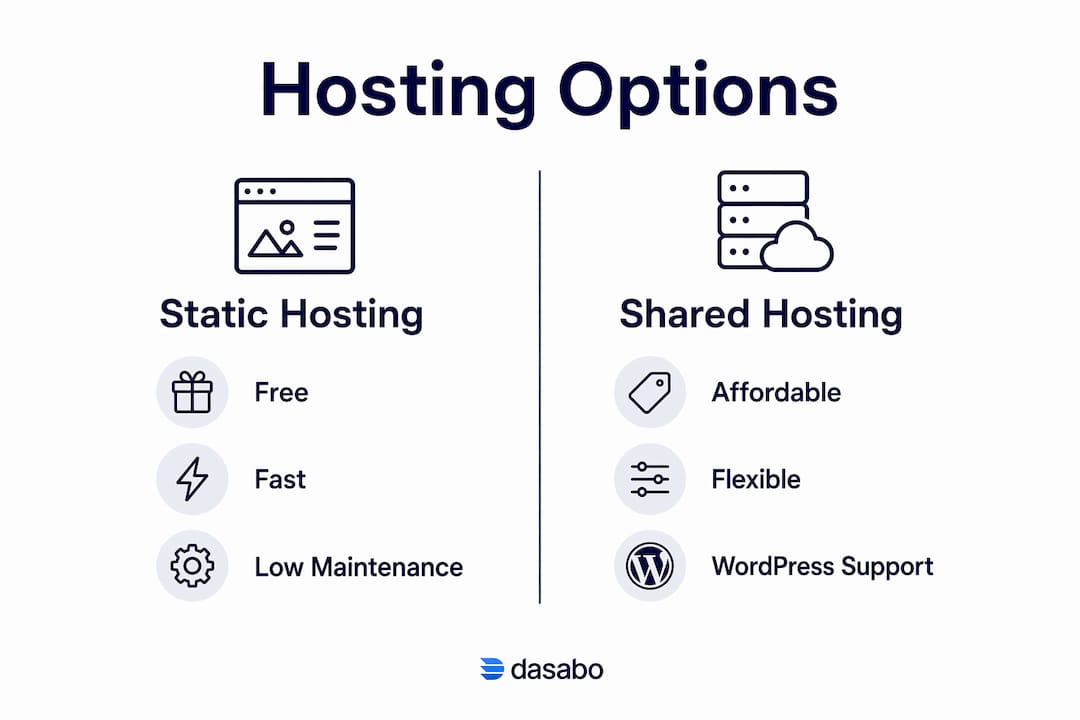
The four main hosting categories for portfolios are static hosting, shared hosting, managed WordPress hosting, and all-in-one website builders. Each has a different cost profile, performance ceiling, and maintenance burden.
Static site hosting
Static hosting eliminates server maintenance, security patches, and databases entirely. Your site is pre-built and served from a global content delivery network, which means faster load times and zero server management. Cloudflare Pages offers a free tier with 300+ global edge locations, 500 free builds per month, unlimited bandwidth, and free SSL on custom domains. That makes it the strongest free option for a static portfolio in 2026.

Shared and managed WordPress hosting
Shared hosting suits freelancers who want a WordPress portfolio with more flexibility. Budget shared plans typically run $3–$8 per month and include one-click WordPress installs, free SSL, and basic backups. Managed WordPress hosting costs more but handles updates and security automatically. For most portfolio owners, a standard shared plan is more than enough.
All-in-one website builders
All-in-one builders bundle hosting, templates, and a drag-and-drop editor into one subscription. Carrd starts at approximately $9 per year for simple single-page portfolios, making it one of the cheapest paid options available. Squarespace sits at the higher end at $16 per month and offers more design polish. The trade-off is limited customization compared to self-hosted solutions.
| Hosting type | Typical cost | Technical skill needed | Best for |
|---|---|---|---|
| Static (Cloudflare Pages) | Free to $15/yr (domain only) | Moderate | Developers, coders |
| Shared hosting | $3–$8/month | Low | WordPress portfolios |
| All-in-one builder | $9/yr–$16/month | Very low | Non-technical creatives |
| Managed WordPress | $10–$25/month | Low | Hands-off WordPress users |
Pro Tip: Avoid over-engineering your portfolio with a complex CMS if you only update it a few times per year. Simple static or managed hosting suits most portfolios far better than a full WordPress multisite setup.
How to prepare your portfolio content before launch
Preparation determines whether your cheap hosting plan feels professional or amateurish. Skipping this step is the most common reason portfolios underperform at launch.
-
Choose your portfolio type. Decide whether you need a static visual portfolio (designers, photographers), a dynamic blog-style portfolio (writers, marketers), or a project-showcase site (developers). Your choice drives your hosting decision.
-
Register an affordable domain name. A custom domain is non-negotiable for professional credibility. Register your domain through a reputable registrar and expect to pay $10–$15 per year. Avoid free subdomains like yourname.wordpress.com for client-facing work.
-
Confirm SSL is included. SSL encrypts your site and triggers the padlock icon in browsers. Most reputable hosts include free SSL via Let’s Encrypt. Never launch a portfolio without it.
-
Optimize your images before uploading. Large image files are the single biggest cause of slow portfolio sites. Compress every image to under 200KB before upload and convert to WebP format where possible.
-
Prepare your core pages. At minimum, build a home page, a work or projects page, an about page, and a contact page. Keep copy tight. Recruiters and clients spend seconds, not minutes, scanning a portfolio.
-
Pick tools that match your skills. Non-technical freelancers can build a polished portfolio with drag-and-drop platforms like Canva, which offers built-in free hosting. Developers can use Git-based workflows with frameworks like Astro or Hugo.
Set realistic update expectations before you commit to a hosting plan. A static site is harder to update casually but costs nothing to run. A WordPress site is easy to update but requires occasional plugin maintenance.
Step-by-step process to launch your portfolio site
Launching a low-cost portfolio website follows a clear sequence. Skipping steps creates broken links, missing SSL, or slow load times that undermine your professional image.
-
Buy your domain and point it to your host. Purchase your domain, then update the DNS nameservers to match your hosting provider’s settings. DNS propagation takes up to 48 hours, so do this first.
-
Set up your hosting account. For static sites, create a free account on Cloudflare Pages or a similar platform. For shared hosting, sign up for a budget plan and access your control panel.
-
Deploy your site files. Static site users connect their GitHub repository to their hosting platform. Git-based deployment triggers automatic builds every time you push an update, which keeps your portfolio current without manual uploads. WordPress users install via one-click installer in their hosting control panel.
-
Activate SSL and verify HTTPS. In your hosting dashboard, enable SSL for your domain. Visit your site using https:// to confirm the padlock appears. If it does not, check that your domain is fully propagated and SSL is assigned to the correct domain.
-
Test speed and mobile responsiveness. Use Google PageSpeed Insights to check your load time on both desktop and mobile. A score above 90 is the target. Fast image loading and CDN delivery are the two biggest factors in that score.
-
Fix common launch issues. Mixed content errors (HTTP images on an HTTPS page) are the most frequent problem. Replace all image URLs with HTTPS versions. Broken links are the second most common issue. Test every navigation link before sharing your portfolio publicly.
Pro Tip: Before you share your portfolio URL with anyone, test it on a real mobile device, not just a browser emulator. Mobile rendering issues are invisible in desktop preview mode.
You can also read Dasabo’s guide on deploying static sites affordably for a more detailed technical walkthrough of the deployment process.
How to keep your portfolio fast and secure without spending more
Maintaining a high-quality portfolio on a budget plan requires discipline, not money. The biggest performance killers are all free to fix.
- Convert images to WebP. WebP images load faster than JPEG or PNG at equivalent quality. Free tools like Squoosh handle batch conversion in minutes. This single change can cut your page weight by 30% or more.
- Remove unused plugins and scripts. Every plugin you install on a WordPress portfolio adds HTTP requests and potential security vulnerabilities. Keep only what you actively use. Avoiding plugin bloat is one of the most consistent pieces of advice from experienced developers.
- Enable automatic backups. Many budget hosting plans include weekly backups. Confirm yours does. If not, a free plugin like UpdraftPlus handles this for WordPress sites.
- Monitor uptime with a free tool. UptimeRobot monitors your site every 5 minutes and sends an email alert if it goes down. The free tier covers up to 50 monitors. Knowing your site is down before a client visits it matters.
- Use analytics without bloat. Google Analytics is free but adds JavaScript weight. Plausible Analytics is a lightweight alternative that loads faster and respects visitor privacy. Either option gives you the visitor data you need to understand what content resonates.
Pro Tip: Set a calendar reminder to review your portfolio every 90 days. Outdated work samples and broken project links are the fastest way to lose a client’s trust before you even speak to them.
Hosting plans with predictable pricing and included essentials like backups, SSL, and CDN reduce surprise costs over time. Read the fair use policy on any “unlimited” plan before you commit.
Key takeaways
Cheap hosting and a professional portfolio are not mutually exclusive. The right hosting type, combined with optimized content and a clean setup process, produces a site that impresses clients at a fraction of the cost of agency-built alternatives.
| Point | Details |
|---|---|
| Match hosting to your needs | Static hosting is free and fast; shared hosting suits WordPress; builders suit non-technical users. |
| Domain and SSL are non-negotiable | A custom domain costs $10–$15 per year and SSL comes free with most reputable hosts. |
| Optimize images before launch | Convert images to WebP and compress to under 200KB to meet speed benchmarks. |
| Use Git-based deployment for automation | Connecting a GitHub repo to Cloudflare Pages or Vercel automates updates with every code push. |
| Avoid feature bloat | Fewer plugins and simpler setups mean lower maintenance costs and fewer security risks. |
What I’ve learned about cheap hosting and portfolio quality
The conventional wisdom says you get what you pay for. With portfolio hosting, that is simply not true anymore. I have seen freelancers running portfolios on free static hosting that load faster and look more professional than agency sites on expensive managed servers.
The real mistake most freelancers make is not choosing cheap hosting. It is choosing the wrong type of cheap hosting for their actual workflow. A photographer who updates their portfolio monthly does not need a Git-based static site. They need a drag-and-drop builder or a simple WordPress install on a shared plan. A developer who pushes code weekly should absolutely use Cloudflare Pages or Vercel and pay nothing for hosting.
Speed matters more than most freelancers realize. A slow portfolio is not just annoying. It signals to a recruiter or client that you do not pay attention to detail. Understanding how hosting performance affects perception is worth your time before you pick a plan.
My honest advice: start with the simplest option that fits your update habits. You can always migrate to a more capable plan later. Over-building your portfolio infrastructure on day one is a waste of time and money that could go toward actual client work.
— Alex
Dasabo’s hosting plans for portfolio sites
Freelancers who want reliable, affordable portfolio hosting without technical headaches have a clear option in Dasabo. Dasabo’s shared hosting plans include free SSL, NVMe SSD storage, LiteSpeed caching, and a 99.9% uptime guarantee. That combination means your portfolio loads fast and stays online when a client or recruiter visits.
Dasabo also offers domain registration at competitive rates, so you can handle your domain and hosting in one place. With over 20,000 satisfied customers and 24/7 support, setup is straightforward even if you have never launched a site before. If you are ready to move from free hosting to a plan that grows with your freelance business, Dasabo’s hosting options are worth a close look.
FAQ
What is the cheapest way to host a portfolio site?
Static site hosting on platforms like Cloudflare Pages is free, with costs limited to a custom domain at roughly $10–$15 per year. This is the lowest-cost option for a professional portfolio.
Do I need a custom domain for my portfolio?
A custom domain is not technically required, but it is strongly recommended. Free subdomains look unprofessional to clients and recruiters and can hurt your credibility before a conversation even starts.
Does cheap hosting affect my portfolio’s speed?
Hosting type matters more than price. A free static hosting plan on a global CDN often outperforms an expensive shared server. Optimizing images and minimizing scripts has a bigger impact on speed than upgrading your hosting plan.
Is SSL included with budget hosting plans?
Most reputable budget hosting providers include free SSL via Let’s Encrypt. Always confirm SSL is included before purchasing a plan, since launching without HTTPS harms both security and search rankings.
How often should I update my portfolio?
Reviewing and updating your portfolio every 90 days keeps your work samples current and your links functional. Outdated portfolios signal inactivity to potential clients, even when you are actively working.