




Affordable static site hosting is defined as any hosting setup that delivers a fully functional website from pre-built HTML, CSS, and JavaScript files at minimal or zero recurring cost. You can deploy a static site with affordable hosting today using specialized edge platforms, entry-level shared hosting, or cloud storage services, each with distinct trade-offs in performance, control, and ease of use. The industry term for this category is static web hosting, and it covers everything from free Git-connected edge platforms to shared plans starting at $1.00 per month. Knowing which option fits your skill level and traffic needs is the difference between overpaying and getting enterprise-grade delivery for free.
What are the best affordable hosting options for static sites?
Specialized edge platforms are the strongest starting point for cheap static site hosting. Cloudflare Pages offers a free tier supporting 100,000 requests per day, unlimited static asset bandwidth, and sub-50ms global latency. GitHub Pages provides similar zero-cost deployment tied directly to a GitHub repository. Both platforms include automatic HTTPS, global CDN distribution, and Git-connected deployment pipelines at no charge. That combination of features would cost hundreds of dollars monthly on traditional infrastructure.
Traditional shared hosting is the right call when you need more than a static file server. Entry-level shared plans start at $1.00–$2.99 per month and typically bundle free SSL certificates, daily backups, and email hosting. The trade-off is performance: shared hosting serves files from a single origin server, which means visitors far from that data center experience slower load times. For a local business site or a portfolio with modest traffic, that trade-off is acceptable.

VPS hosting sits at the other end of the spectrum. A single data center VPS cannot match global edge CDN latency and requires ongoing server management. That makes VPS a poor fit for most static sites unless you are learning Linux administration or need custom server software alongside your static files.
The table below compares the three main categories by feature and cost range.
| Hosting category | CDN included | Typical monthly cost | Best for |
|---|---|---|---|
| Edge/static platforms | Yes, global | $0 (free tier) | Developers, portfolios, small apps |
| Entry-level shared hosting | No (single origin) | $1.00–$2.99 | Small businesses needing email and SSL |
| VPS hosting | No (manual setup) | $5.00 and up | Advanced users, custom server needs |
Key features to compare when choosing:
- Global CDN coverage and edge node count
- Automatic HTTPS and SSL certificate renewal
- Git integration and continuous deployment support
- Bandwidth and request limits on free tiers
- Bundled services: email, backups, domain registration
What do you need before deploying your static site?
Version control is the foundation of modern static site deployment. Git is the standard tool, and every major affordable hosting platform expects your site files to live in a Git repository hosted on GitHub, GitLab, or Bitbucket. If you have never used Git before, the learning curve is short. The core commands you need are git init, git add, git commit, and git push.
A static site generator (SSG) is not required, but it makes maintenance far easier. Tools like Hugo, Jekyll, and Eleventy take content written in Markdown and compile it into clean HTML files ready for deployment. Hugo, for example, builds most sites in under one second. If your site is a single HTML file or a small set of pages, you can skip the SSG entirely and deploy raw files.
You also need a domain name. Free subdomains come with most edge platforms, but a custom domain builds credibility. Registering a domain typically costs $10–$15 per year, and many shared hosting plans include one free for the first year.
Essential tools checklist before you deploy:
- Git client (Git for Windows, Xcode Command Line Tools on macOS, or native on Linux)
- A code editor (VS Code is the most widely used free option)
- A GitHub, GitLab, or Bitbucket account for repository hosting
- A static site generator if your project has more than a handful of pages
- A registered domain name for a professional web address
Pro Tip: If you want to test a deployment before committing to a platform, services like yapp.page allow instant anonymous publishing with no signup and no ads. Use it to verify your files render correctly before connecting a real domain.
How do you deploy a static website step by step?
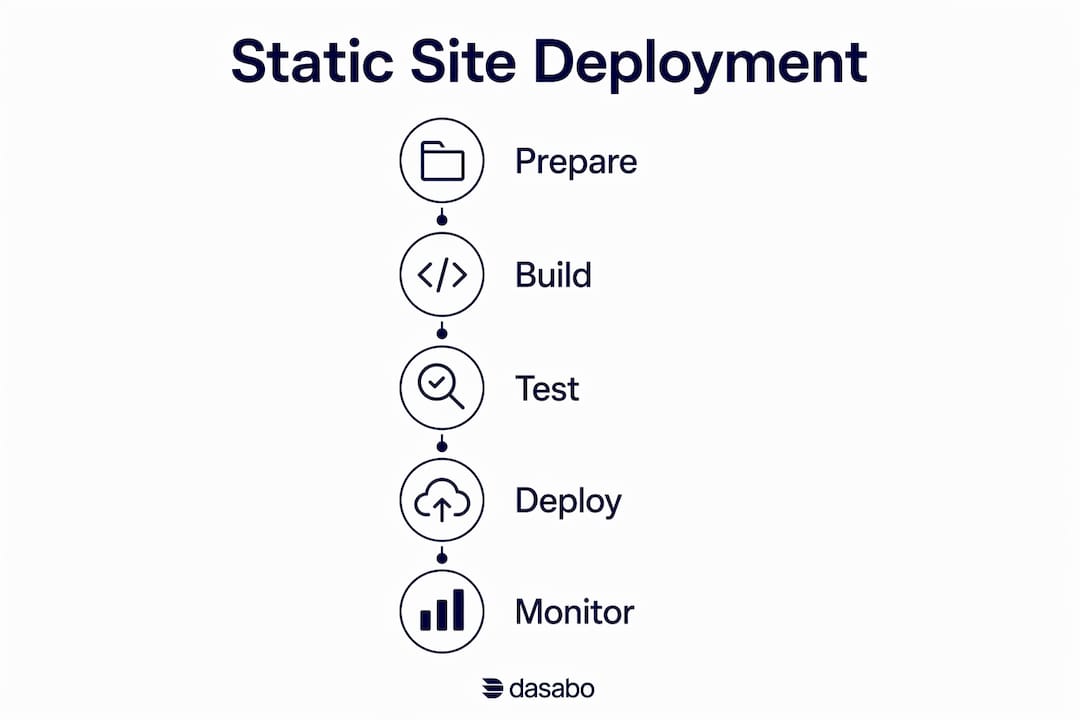
The Git-integrated workflow on edge platforms is the fastest path to a live site. Follow these steps for a typical free static site deploy on any Git-connected edge platform.
- Build your static files. Run your SSG build command (for example,
hugoorjekyll build) to generate the output folder. For raw HTML sites, your files are already ready. - Create a repository. Push your project to a new GitHub or GitLab repository. Make sure the output folder is included, or configure the platform to run the build command itself.
- Connect the repository to your hosting platform. On edge platforms, you authorize access to your Git account and select the repository. The platform reads your build settings automatically for most popular SSGs.
- Configure build settings. Set the build command (for example,
hugoornpm run build) and the publish directory (for example,publicor_site). Most platforms detect these automatically. - Trigger the first deployment. Push a commit or click “Deploy.” The platform clones your repository, runs the build, and distributes the output to its global edge network. A single git push triggers automated builds and global deployment without any manual server work.
- Connect your custom domain. Add your domain in the platform dashboard and update your DNS records to point to the platform’s servers. HTTPS is provisioned automatically within minutes.
Deploying on entry-level shared hosting follows a different path. You upload your static files via FTP or the hosting control panel’s file manager, place them in the public_html directory, and point your domain to the server. There is no automated build pipeline, so you must upload new files manually after every update.
Common pitfalls to avoid:
- Forgetting to set the correct publish directory causes the platform to deploy an empty or broken site.
- Leaving large uncompressed images in the repository inflates build times and bandwidth usage.
- Misconfigured DNS TTL values can cause hours of downtime during domain switches.
Pro Tip: Set your DNS TTL to 300 seconds (5 minutes) at least 24 hours before switching hosting providers. That way, if something goes wrong, the old records propagate back quickly and your site stays live.
How do you keep costs low after your site goes live?
Performance optimization and cost control go hand in hand for static sites. Effective caching reduces bandwidth usage and accelerates load times globally. Set long cache headers (one year is standard) on versioned assets like CSS and JavaScript files. Images should be compressed with tools like Squoosh or ImageOptim before upload, and served in WebP format where browser support allows.
Monitor your request and bandwidth counts if you are on a free tier. Cloudflare Pages’ free tier supports 100,000 requests per day. A small business site rarely approaches that limit, but a viral blog post or a product launch can spike traffic unexpectedly. Set up a simple analytics tool or check your platform dashboard weekly.
Scaling to a paid plan or a different host should be a deliberate decision based on real traffic data, not a precaution. Most small static sites never outgrow a free tier. Pay only when the numbers tell you to.
Security for static sites is simpler than for dynamic sites, but it still requires attention. HTTPS is non-negotiable and is automatic on all major edge platforms. For shared hosting, free Let’s Encrypt SSL certificates are standard on plans from reputable providers. DNS management matters too: enable DNSSEC on your domain registrar if available, and use a registrar with two-factor authentication.
Paid shared hosting is the right upgrade when you need server-side services, professional support channels, or integrated business email. Free static platforms lack those features by design. Small businesses that need a contact form backend, a booking system, or a CRM integration will hit the limits of pure static hosting quickly.
For small business owners who want guidance on the broader web presence picture, a guide to building your own website covers the strategic decisions that sit above the hosting layer, including content structure, branding, and maintenance planning.
Key Takeaways
The most reliable way to deploy a static site affordably is to start on a free edge platform with global CDN and Git integration, then upgrade to paid shared hosting only when your business needs server-side services or dedicated support.
| Point | Details |
|---|---|
| Start with free edge platforms | Cloudflare Pages and GitHub Pages offer global CDN, HTTPS, and Git deployment at no cost. |
| Shared hosting fills service gaps | Plans from $1.00–$2.99/month add email, backups, and support that free platforms lack. |
| Git is the core prerequisite | Every modern affordable platform expects your site in a Git repository before deployment. |
| Optimize before you scale | Compress assets and set long cache headers to stay within free tier limits longer. |
| Pay only when data says to | Most small static sites never exceed free tier request limits. Upgrade on evidence, not fear. |
Why I stopped worrying about “the best” static host
The honest lesson from years of deploying static sites is that the platform matters far less than most guides suggest. I have run portfolios, documentation sites, and small business pages on free edge platforms, and the uptime and speed have been indistinguishable from paid enterprise hosting. The free tiers on platforms like Cloudflare Pages are production-grade hosting options for most small to medium static sites, not just trial accounts.
Where I see small business owners go wrong is jumping to VPS hosting because it sounds more “serious.” A VPS gives you a Linux server to manage, not a faster website. For a static site, that extra complexity costs time and money without improving the visitor experience.
My practical rule: start free, stay free until a specific business need forces a change. If you need email hosting, a support line, or a server-side form processor, move to a paid shared plan. If you just need a fast, reliable website in front of people, the free tier is the right answer in 2026.
The one area where I do recommend spending early is your domain name. A custom domain costs about $12 per year and signals professionalism immediately. Everything else can wait until your traffic or feature needs justify the cost.
— Alex
Dasabo’s hosting plans for static and small business sites
Small businesses that need more than a bare static file host will find that Dasabo’s affordable hosting plans cover the gap between free edge platforms and expensive enterprise solutions. Dasabo combines NVMe SSD storage, LiteSpeed caching, and a 99.9% uptime guarantee with 24/7 customer support, giving you the performance of a modern host without the complexity of self-managed infrastructure.

Dasabo manages over 5,000 websites and serves more than 20,000 customers, which means the support team has seen and solved the exact setup questions that trip up first-time deployers. Plans include bundled SSL, domain registration, and security features that free static platforms do not offer. If your static site is the front door to a growing business, Dasabo gives you the foundation to build on.
FAQ
What is static site hosting?
Static site hosting serves pre-built HTML, CSS, and JavaScript files directly to visitors without server-side processing. It is faster, cheaper, and more secure than dynamic hosting for sites that do not require a database.
Is free static site hosting reliable enough for a business?
Free tiers on edge platforms like Cloudflare Pages are production-grade and suitable for most small business static sites. Upgrade to paid hosting when you need email, server-side features, or dedicated support.
How much does affordable static site hosting cost?
Specialized edge platforms offer free tiers with global CDN and HTTPS. Entry-level shared hosting starts at $1.00–$2.99 per month and adds bundled services like email and backups.
Do I need Git to deploy a static site cheaply?
Git is required on most modern edge platforms because deployment is triggered by a repository push. Traditional shared hosting lets you upload files via FTP without any Git knowledge.
When should I upgrade from a free static host to a paid plan?
Upgrade when your site needs server-side functionality, business email, or professional support. Traffic alone rarely justifies the switch since free tiers handle most small site volumes without issue.