Guides & Tutorials
Website security guide for online businesses
A compromised contact form, a reused password or an outdated plugin can quickly turn into lost orders, spam sent from your domain and a website that no longer loads. This guide is for people who rely on the web for their work — businesses, online shops, freelancers, agencies and WordPress site owners — and want to reduce risk without making day-to-day management harder than it needs to be.
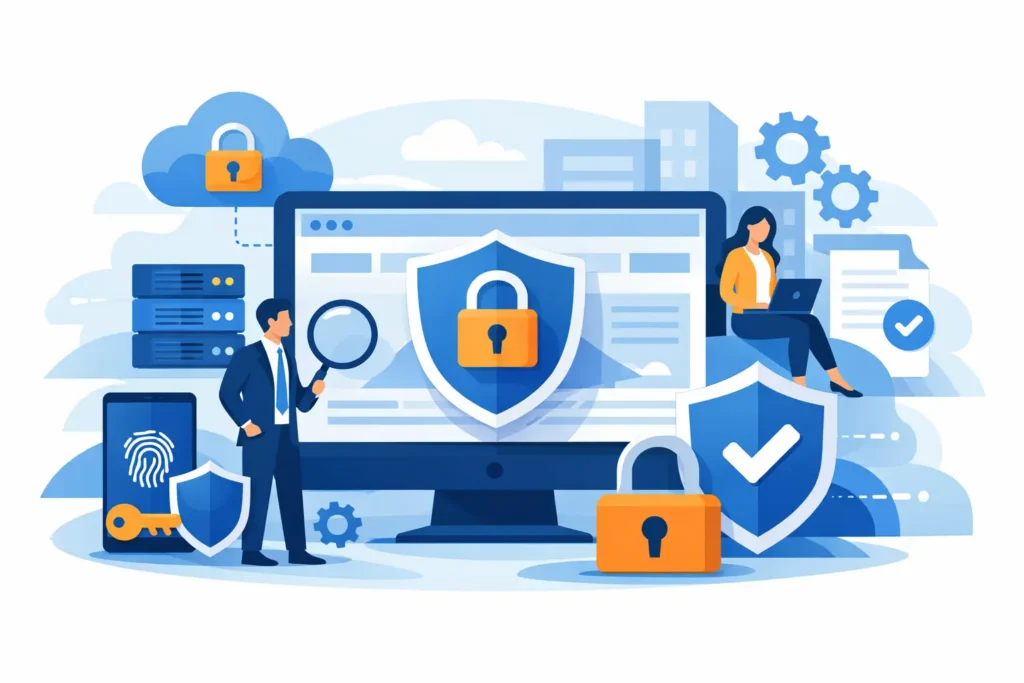
Security is not a single feature you switch on. It comes from several layers working together: reliable hosting, an SSL certificate, updates, strong credentials, tested backups and ongoing checks. If one layer is missing, a small mistake can have much bigger consequences.
Why website security is a business priority
An attack does not just hit your code. It can stop sales, hurt your search rankings, expose customer and supplier data and damage trust in your brand. For an online shop, even a few hours of downtime during a campaign can mean real losses. For a brochure site, an infected page or a browser warning can drive a prospect away before they have read your offer.
The useful question is not whether your site is too small to be a target. Automated scans look for vulnerabilities at scale and make no distinction between a well-known portal and a local business: they go after outdated installations, guessable passwords and configurations left on their default settings.
Prevention is almost always cheaper than recovering a compromised site. The real cost of an incident includes technical analysis, restoration, time taken away from your work, communication with customers and, in the worst cases, lost data or reputation.
The basics to put in place today
Use HTTPS and a valid SSL certificate
An SSL certificate encrypts the data exchanged between visitors and your site. It is essential for payments, logins, contact forms and private areas, and it is good practice for any web project. A site available only over HTTP exposes the information sent to it and looks less trustworthy.
Once the certificate is active, check that every page loads over HTTPS and that HTTP traffic is redirected correctly. Look out for mixed content too: images, scripts or stylesheets loaded from insecure URLs can trigger browser warnings. The padlock alone does not make a site immune to malware, but it protects the connection and is the first requirement for trust.
Keep your CMS, themes, plugins and server software up to date
WordPress and other CMSs make publishing easy, but their ecosystems need maintenance. Core, theme and plugin updates often fix vulnerabilities that are already publicly known: putting them off for too long is like leaving a door open for automated scanners.
Don’t update a revenue-generating site blindly. Take a fresh backup first and, if you can, test updates in a staging environment. For simple projects built on reliable components, automatic updates can reduce risk. For online shops, sites with custom integrations or portals with many users, a controlled process works better: test, update, check the key user journeys and monitor for errors.
Unused plugins deserve the same attention. Deactivating them is not always enough: if you don’t need them, remove them. Fewer extensions mean a smaller attack surface, fewer conflicts and clearer maintenance.
Protect every way in, not just the login page
Weak credentials are still one of the most common causes of compromise. Every administrator account, mailbox, hosting control panel, FTP or SFTP account and external service connected to your site should have a long, unique password. A password manager helps you handle complex credentials without relying on memory or shared spreadsheets.
Turn on two-factor authentication wherever it is available, especially for CMS administrators, the hosting control panel and business mailboxes. Passwords still matter, but a second factor can stop many login attempts even when a password has been stolen from another service.
Avoid shared accounts. If an agency, contractor or employee needs to work on the site, give them a personal user with the minimum permissions required, and remove access when the work ends. It is safer and makes it easier to see who changed what.
Choose hosting that takes part in your defence
Your site configuration matters, but protection starts with the infrastructure. A good hosting service should provide an up-to-date environment, isolation between accounts, protection against malicious activity, access management tools and backups. For dynamic sites, the quality of resources and monitoring also affects how well the service stays available under load or during abuse attempts.
There is no single plan that suits every project. A brochure site with modest traffic can start on well-managed shared hosting, while a growing online shop, a high-traffic site or a project with specific requirements may need dedicated resources or a VPS. The choice should balance budget, technical skills, visitor numbers and how sensitive the data you handle is.
Plans that include SSL, daily backups and proactive malware protection reduce the number of tools you have to coordinate. Dasabo brings these together in an environment designed for people who want to manage hosting, domains and security simply, with room to grow when the project needs it.
Configure files, databases and connections correctly
Many incidents start with overlooked technical details. Configuration files need appropriate permissions and must not expose credentials in public folders or accessible repositories. Treat database credentials like admin passwords: unique, changed whenever you suspect a problem and never sent unprotected.
Use SFTP or SSH instead of unencrypted FTP whenever possible. Restrict remote database access to the sources that actually need it and disable features you don’t use. On WordPress, think carefully about the built-in theme and plugin editor, and protect any extra admin files created by developers or agencies.
These measures take some initial checking, but they prevent a single compromised login from giving full control of the site. If you are not comfortable with permissions, databases or server rules, ask for help before making changes: a configuration that is too strict can block legitimate features, while one that is too loose exposes data and applications.
Backups: the plan that makes mistakes recoverable
A backup does not prevent an attack, but it decides how quickly you can get back on your feet. It must include both files and the database, because restoring only one of them can bring back an incomplete or broken site. How often you back up depends on your activity: a blog updated once a month can live with a lighter schedule, while an online shop taking orders every day needs much more frequent copies.
Where the copies are stored matters too. A backup inside the same account as the site is useful, but it should not be your only line of defence: if a problem affects the whole account, you need access to a separate copy. Keep several versions so you can roll back to a point before an infection without overwriting your only copy.
Testing is the step most people skip. Schedule at least one restore test in a separate environment: check that the database imports, the pages open and logins, forms and checkout work. An untested backup is a hope, not a plan.
Watch for warning signs before they become problems
Effective security is also about paying attention. Regularly review administrator users, installed plugins, access logs, unusual resource usage and unexpected file changes. A sudden slowdown, emails sent without authorisation, unknown new accounts or pages redirecting elsewhere all deserve immediate investigation.
Prepare a basic incident procedure: who can put the site into maintenance mode, where to find the latest backup, how to change credentials quickly and who to contact at your hosting provider. In a critical moment, having these steps defined in advance saves hours and limits the impact on customers.
Don’t rely on a security plugin alone. It can help with scans, login rate limiting and alerts, but it does not replace updates, backups and carefully managed infrastructure. Likewise, a firewall helps filter suspicious requests, but it is an extra layer, not an absolute guarantee.
Make security a sustainable routine
Security works when it becomes part of how you normally run your site. Set aside time every month to check updates, users, backups and notifications. After every new integration, consider what data it collects, what permissions it needs and whether the vendor is trustworthy. Before a sales campaign or a seasonal peak, make sure your backups are recent and your team’s access is up to date.
A secure website is not one that never faces attacks: it is one that makes unauthorised access hard, spots anomalies quickly and recovers without stopping the business for long. Your next step is simple: pick the least protected area of your site, fix it today and put the rest into a regular maintenance plan.