




Web hosting is defined as a service that stores your website’s files on internet-connected servers, making your site accessible to anyone online, at any time. Without hosting, your website simply does not exist on the internet. Servers run continuously and use stable operating systems like Linux to deliver your files to visitors worldwide, 24 hours a day. Dasabo manages over 5,000 websites and serves more than 20,000 customers, which shows how central reliable hosting has become for individuals and small businesses building their online presence.
What is web hosting and how does it work?
Web hosting works by storing your website’s HTML files, images, databases, and other assets on a physical or virtual server. When a visitor types your domain name into a browser, their device sends a request to that server, which then delivers the files back to their screen. The process happens in milliseconds, but several layers of infrastructure make it possible.

The Domain Name System, or DNS, is the bridge between your domain name and your server’s IP address. Think of DNS as the internet’s phone book. Launching a website requires buying a domain, selecting a hosting provider, and configuring DNS to connect the two. One thing many first-time site owners do not expect: DNS propagation can take up to 48 hours after setup before your site appears globally. That delay is normal and caused by the time it takes for DNS servers worldwide to update, not by any error in your setup.
Server uptime is the percentage of time your hosting server stays online and reachable. A server that goes down frequently means visitors cannot reach your site, which costs you traffic and credibility. This is why uptime guarantees, like Dasabo’s 99.9% uptime commitment, matter in practical terms.
- Domain name: Your website’s address (e.g., yourbusiness.com)
- DNS: Translates your domain into a server IP address
- Server: Stores and delivers your website files
- Uptime: Measures how reliably the server stays online
Pro Tip: Register your domain and set up hosting at the same time to reduce DNS configuration errors and cut your propagation wait.
What are the main types of web hosting?
Shared, VPS, dedicated, and cloud hosting each serve different needs in performance, control, and cost. Choosing the wrong type is one of the most common and expensive mistakes small business owners make.
Shared hosting
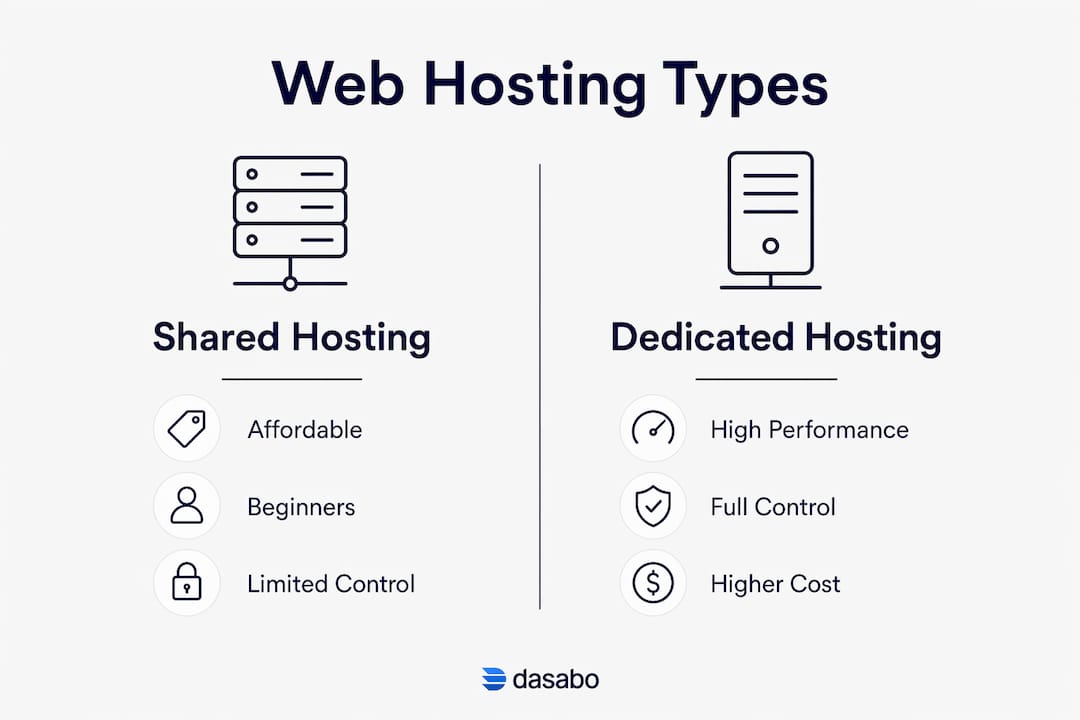
Shared hosting places multiple websites on one physical server, splitting its resources among all of them. This makes it the most affordable entry point, often costing just a few dollars per month. The tradeoff is that a traffic spike on a neighboring site can slow yours down. Shared hosting works well for new websites, personal blogs, and small businesses with modest traffic.
VPS hosting
A Virtual Private Server, or VPS, gives you a dedicated slice of a server’s resources even though the physical hardware is still shared. Your site runs in an isolated environment, so other users cannot affect your performance. VPS hosting costs more than shared plans but delivers noticeably better speed and stability. It suits growing businesses that have outgrown shared hosting but do not need a full dedicated server.
Dedicated hosting
Dedicated hosting gives you an entire physical server for your website alone. You control the hardware, the operating system, and every configuration. This option delivers the highest performance and security, but it also carries the highest price tag and requires technical knowledge to manage. Large e-commerce stores and high-traffic sites benefit most from dedicated servers.
Cloud hosting
Cloud hosting runs your website across a network of virtual servers rather than a single machine. If one server fails, another picks up the load automatically. This architecture makes cloud hosting highly reliable and easy to scale up or down as your traffic changes. It suits businesses with unpredictable traffic patterns or rapid growth.
| Hosting type | Best for | Performance | Typical cost |
|---|---|---|---|
| Shared | Beginners, small sites | Moderate | Lowest |
| VPS | Growing businesses | Good | Mid-range |
| Dedicated | High-traffic, large sites | Highest | Premium |
| Cloud | Variable traffic, scaling | Very good | Flexible |
Managed vs. unmanaged hosting is a separate but related choice. Managed hosting providers handle server maintenance, security updates, and performance tuning on your behalf. Unmanaged plans leave those tasks to you. For most small business owners, managed hosting is the smarter choice because it frees up time and reduces technical risk.
What should you look for when choosing web hosting?
Reliable uptime and technical support are the two features that most directly affect your day-to-day experience as a site owner. Beyond those, several other criteria separate a good hosting plan from a frustrating one.
- Uptime guarantee. Look for a provider that commits to 99.9% uptime or better. Dasabo’s 99.9% uptime guarantee means your site stays live for all but a few hours per year at most.
- Storage and bandwidth. Match your plan’s storage to your site’s actual file size, and check that bandwidth limits cover your expected monthly traffic without overage fees.
- Security features. A free SSL certificate, firewall protection, and malware scanning are non-negotiable for any business site. Dasabo’s hosting security features cover these areas for all plans.
- Customer support. 24/7 support via live chat or phone matters most when something breaks at 2:00 AM. Test a provider’s response time before committing.
- Ease of use. Control panels like cPanel or custom dashboards determine how easily you can manage files, email accounts, and databases without calling a developer.
- Price and renewal terms. Introductory prices often jump sharply at renewal. Read the renewal rate before you sign up, not after.
Pro Tip: Ask any hosting provider what their average support response time is. A company that cannot answer that question clearly is one to avoid.
Hosting quality also affects your SEO. Slow loading times increase bounce rates, and search engines factor both speed and uptime into rankings. Choosing a fast, reliable host is not just a technical decision. It directly shapes how many people find your site through Google.
If you run a WordPress site, managed WordPress hosting is worth considering. These plans are configured specifically for WordPress performance, with server-level caching and automatic updates built in.
Common pitfalls and best practices for managing your hosting
Many site owners set up hosting once and never think about it again. That approach creates real risk over time.
- Skipping backups. Unmanaged hosting plans require you to handle backups manually. Without a recent backup, a single server failure or hack can erase your entire site. Schedule automated backups at least weekly, daily if your content changes frequently.
- Ignoring security updates. Outdated software is the most common entry point for hackers. Keep your CMS, plugins, and themes updated. For WordPress users, a WordPress security guide covers the specific steps to lock down your site in 2026.
- Choosing the cheapest plan without reading the limits. Entry-level shared plans sometimes cap storage or bandwidth at levels that will choke a growing site within months.
- Overlooking the SLA. A Service Level Agreement, or SLA, defines what your provider owes you if uptime falls below the guaranteed level. Read it before you sign.
- Waiting too long to scale. A site that consistently runs near its resource limits will slow down before it crashes. Monitor your server resource usage monthly and upgrade before performance degrades.
The right time to scale is before your visitors notice a problem, not after. Most control panels show CPU and memory usage in real time, so checking takes less than two minutes.
Key Takeaways
Web hosting is the foundation of every website, and choosing the right type and provider determines your site’s speed, security, and long-term reliability.
| Point | Details |
|---|---|
| Web hosting defined | Hosting stores your website files on servers that deliver them to visitors worldwide, around the clock. |
| DNS propagation delay | After setup, DNS can take up to 48 hours to propagate globally. This is normal, not an error. |
| Hosting types matter | Shared suits beginners; VPS fits growing sites; dedicated and cloud serve high-traffic or variable-load needs. |
| Speed affects SEO | Slow hosting raises bounce rates and lowers search rankings, making host quality a marketing decision. |
| Managed hosting saves time | Managed plans handle updates, security, and backups, reducing risk for owners without technical staff. |
Why I always tell small business owners to spend more on hosting than they plan to
Most people building their first website treat hosting as an afterthought. They spend weeks on logo design and color palettes, then pick the cheapest hosting plan they can find. I have seen this pattern play out badly more times than I can count.
The real cost of bad hosting shows up slowly. Your site loads in four seconds instead of one. Your search rankings slip. A customer tries to reach your contact page during a server outage and gives up. None of these events feel catastrophic in isolation, but together they quietly drain the value of everything else you have built.
The other mistake I see constantly is choosing unmanaged hosting without understanding what that means. Unmanaged plans are cheaper for a reason. They assume you will handle software updates, security patches, and backups yourself. Most small business owners do not, and their sites pay the price.
My honest advice: start with a managed shared or managed VPS plan from a provider that offers 24/7 support and a clear uptime guarantee. The price difference between a bare-bones plan and a well-managed one is often less than $10 per month. That is a small amount to pay for the peace of mind that someone is watching your server while you focus on running your business.
Plan for growth from day one. A domain registration and a hosting plan that can scale with you will save you a painful migration later.
— Alex
Dasabo’s hosting plans for individuals and small businesses
Dasabo offers shared hosting, VPS, cloud, and dedicated server plans, all built for site owners who want performance without complexity.
Every Dasabo plan includes NVMe SSD storage and LiteSpeed caching for fast load times, plus a 99.9% uptime guarantee backed by 24/7 customer support. Whether you are launching your first site or moving an existing one, Dasabo’s full hosting and domain services cover everything from initial setup to ongoing management. You can also register or transfer your domain directly through Dasabo, keeping your domain and hosting under one roof for simpler DNS management. Over 20,000 customers already rely on Dasabo to keep their sites online and secure.
FAQ
What is web hosting in simple terms?
Web hosting is a service that stores your website’s files on a server connected to the internet, making your site visible to anyone who visits your domain. Without hosting, your website cannot be accessed online.
Is web hosting necessary for every website?
Yes. Every website requires hosting to be accessible on the internet. Even simple one-page sites need a server to store and deliver their files to visitors.
How long does it take for a new website to go live?
After you set up hosting and configure DNS, your site can take up to 48 hours to appear globally due to DNS propagation. Most sites become visible within a few hours.
What is the difference between shared hosting and VPS hosting?
Shared hosting places multiple sites on one server and splits resources among them, making it affordable but less consistent. VPS hosting gives your site an isolated portion of server resources, delivering better performance and stability at a higher price.
Does web hosting affect SEO?
Yes. Hosting speed and uptime directly influence search rankings because slow sites have higher bounce rates, which search engines interpret as a signal of poor quality.