




The role of SEO in client hosting is defined by how your server infrastructure directly determines whether search engines can find, crawl, and rank your website. Hosting choices shape three technical pillars that Google evaluates constantly: site speed, uptime, and crawlability. Web developers, digital marketers, and small business owners who treat hosting as a commodity decision routinely undermine SEO work they’ve invested thousands of dollars building. Google’s Core Web Vitals, crawl budget allocation, and latency signals all trace back to the server your site runs on. Getting hosting right is not optional for SEO. It is the foundation everything else depends on.
Which hosting factors most directly affect SEO outcomes?
Site speed is the most measurable hosting factor in SEO. Google’s Core Web Vitals measure Largest Contentful Paint (LCP), Interaction to Next Paint (INP), and Cumulative Layout Shift (CLS). All three are heavily influenced by server performance. Websites meeting Core Web Vitals standards show a 24% lower bounce rate, which sends stronger engagement signals to search engines. That number matters because bounce rate is a proxy for user satisfaction, and Google uses it to validate ranking decisions.
Time to First Byte (TTFB) is the single most hosting-dependent speed metric. A TTFB above 600ms prevents a site from achieving good Core Web Vitals scores, even when front-end code is fully optimized. This means no amount of image compression or JavaScript minification will save a site running on a slow server.

Server uptime directly controls how often Googlebot can access your site. Professional hosting setups require at least 99.9% uptime to prevent Google from reducing crawl budget due to repeated 5xx server errors. A site that goes down regularly gets crawled less often, which delays indexing of new content and can cause ranking drops.
Key hosting factors that affect SEO outcomes include:
- TTFB and LCP: NVMe SSD storage and server-side caching reduce TTFB below the 600ms threshold, directly improving LCP scores.
- Server uptime: A 99.9% uptime guarantee protects crawl budget and keeps Googlebot returning on schedule.
- Server location: Physical proximity to your target audience reduces latency. Google uses CrUX data from real users, so physical server proximity improves SEO in regional markets more than caching plugins alone.
- Protocol support: HTTP/2 and HTTP/3 reduce connection overhead and improve load times, especially on mobile.
- HTTPS: Google treats HTTPS as a ranking signal. Hosting that includes SSL certificates by default removes a common oversight.
Pro Tip: Check your TTFB using Google Search Console’s Core Web Vitals report or PageSpeed Insights before assuming front-end fixes will solve your speed problems. If TTFB is above 600ms, the fix starts at the server level.
How do different hosting environments affect SEO?
Not all hosting setups deliver the same SEO outcomes. The environment your site runs in determines how much control you have over performance, how quickly problems get fixed, and how well the site handles traffic spikes.
| Hosting type | Speed control | Uptime reliability | SEO risk level | Best for |
|---|---|---|---|---|
| Shared hosting | Low | Variable | High | Personal sites, very low traffic |
| Managed hosting | High | Consistent | Low | SEO-focused sites, agencies |
| VPS hosting | Medium to high | Good | Medium | Growing businesses, developers |
| Dedicated servers | Full | Excellent | Very low | High-traffic, enterprise sites |
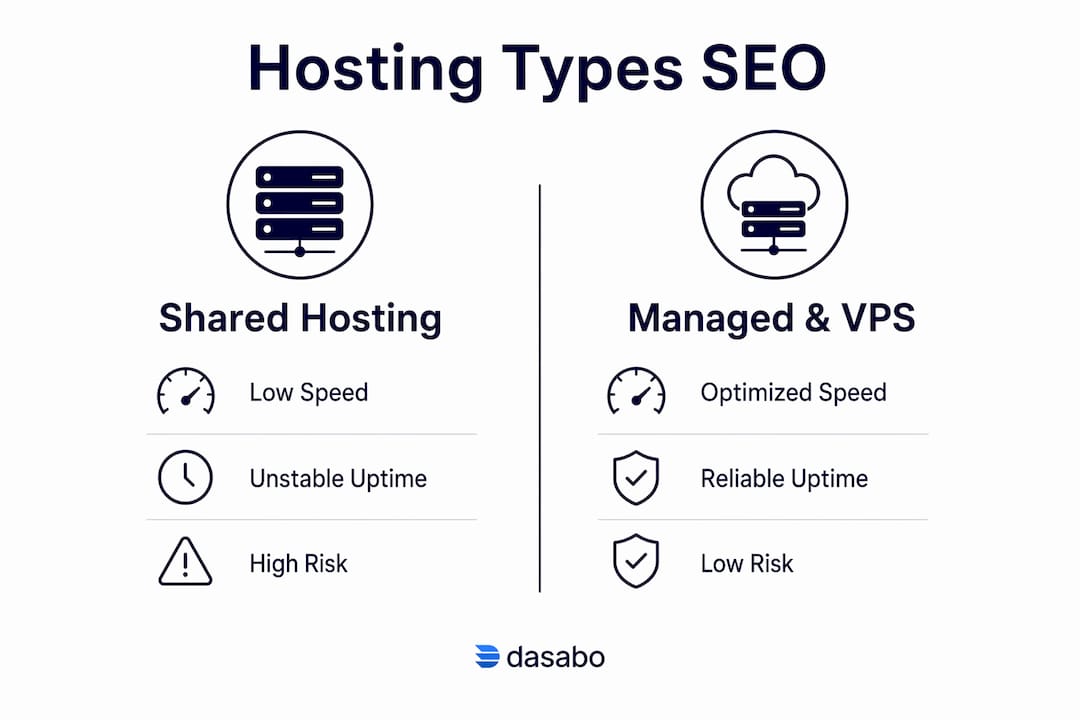
Shared hosting puts multiple sites on one server. When a neighboring site gets a traffic spike, your site slows down. That slowdown shows up in your TTFB and LCP scores, and Google records it through real user data. You have no control over it.
Managed hosting removes that risk. The host handles server configuration, updates, and performance tuning. Transitioning to managed hosting is often more cost-effective for SEO-focused sites because shared hosting frequently leads to hours of developer debugging that managed infrastructure avoids entirely. For agencies managing client websites, that time savings is significant.
VPS hosting gives you dedicated resources within a shared physical machine. You get consistent performance without the full cost of a dedicated server. For small business owners whose sites are growing, VPS is the practical middle ground between shared and managed options.
Traffic surges are where hosting type makes the biggest SEO difference. A site that goes down or slows to a crawl during a product launch or seasonal spike loses both conversions and crawl opportunities. Scalable hosting environments handle those peaks without affecting server response times.
What technical SEO problems come from poor hosting choices?
Poor hosting creates technical SEO problems that no content strategy can fix. The most common and damaging ones are slow server response, frequent errors, and security gaps.
Slow server response is the root cause of most Core Web Vitals failures. Server response delays above 600ms make front-end optimizations inefficient because the browser cannot begin rendering until the server responds. Developers often spend hours optimizing JavaScript and images, then wonder why LCP scores remain poor. The bottleneck is upstream.
Frequent 5xx errors are a crawl budget problem. Frequent 5xx errors cause Googlebot to crawl fewer pages per session, which delays indexing of new content and directly hurts rankings. Google’s crawl budget operates as a real economic constraint. Every failed crawl attempt is a wasted allocation that your competitors are not wasting.
Common technical SEO problems tied to hosting include:
- High TTFB: Caused by underpowered servers, slow databases, or lack of caching. Fix it with NVMe SSDs and server-side caching layers.
- 5xx server errors: Caused by resource limits on shared hosting or misconfigured servers. Fix it with uptime monitoring and managed infrastructure.
- Latency from distant servers: Caused by hosting your site in a data center far from your audience. Fix it with a Content Delivery Network (CDN) or a host with data centers near your target market.
- Security vulnerabilities: An insecure site triggers browser warnings that increase bounce rates and damage trust signals. Fix it with automatic SSL renewal and regular security patches.
- Lack of monitoring: Problems that go undetected for hours cost crawl budget and rankings. Fix it with uptime monitoring tools that alert you within minutes of downtime.
Pro Tip: Set up uptime monitoring with alerts sent to your phone. Hosting instability during traffic peaks often goes unnoticed until rankings drop weeks later. Catching a 5xx error within minutes instead of hours protects your crawl budget.
Understanding SEO scalability also means recognizing that hosting infrastructure must grow alongside your content strategy. A site that outgrows its hosting plan will hit performance ceilings that no SEO tactic can overcome.
How can you optimize hosting choices to support SEO goals?
Hosting decisions made at the start of a project are far easier to get right than to fix later. These steps apply whether you are a developer setting up a client site, a marketer evaluating a platform, or a business owner choosing your first host.
-
Choose a host with servers near your target audience. Physical server proximity reduces latency and improves real-user speed metrics. Google measures performance using CrUX data from actual visitors, not lab tests. A server in the same country as your audience consistently outperforms a distant server with a caching plugin.
-
Verify the uptime guarantee before signing up. A 99.9% uptime guarantee means less than nine hours of downtime per year. Anything below that threshold puts your crawl budget at risk. Ask for historical uptime data, not just a marketing claim.
-
Prioritize NVMe SSD storage. NVMe drives are significantly faster than traditional SSDs and HDDs. That speed difference shows up directly in TTFB. Dasabo uses NVMe SSD storage across its hosting plans, which keeps server response times well below the 600ms threshold.
-
Use a CDN for global content delivery. A CDN caches static assets at edge locations worldwide. This reduces latency for international visitors and takes load off the origin server. Pair a CDN with a fast origin server for the best results.
-
Invest in managed or VPS hosting when traffic grows. Shared hosting is a starting point, not a long-term SEO strategy. When your site starts generating consistent organic traffic, the resource limits of shared hosting become a ceiling. Moving to managed or VPS hosting before you hit that ceiling prevents ranking disruptions.
-
Integrate hosting evaluation into your SEO planning from day one. An SEO content strategy built on a slow or unreliable host will underperform regardless of content quality. Treat hosting as an SEO decision, not an IT decision made separately.
-
Confirm HTTP/3 and HTTPS support. Modern protocol support reduces connection latency, especially on mobile networks. HTTPS is a confirmed Google ranking signal. Both should be standard features, not add-ons.
Key Takeaways
Hosting infrastructure is the technical foundation of SEO, and no amount of content or link building compensates for a slow, unreliable server.
| Point | Details |
|---|---|
| TTFB is the critical threshold | A server response above 600ms blocks good Core Web Vitals scores regardless of front-end work. |
| Uptime protects crawl budget | At least 99.9% uptime prevents Googlebot from reducing crawl frequency due to 5xx errors. |
| Server location affects rankings | Physical proximity to your audience improves real-user speed metrics that Google measures via CrUX. |
| Managed hosting saves SEO time | Managed environments reduce debugging hours and deliver more consistent performance than shared hosting. |
| Hosting decisions belong in SEO planning | Choosing a host near your audience with NVMe SSDs and modern protocols should happen before content work begins. |
Why hosting is the SEO factor most professionals ignore
I have reviewed dozens of SEO audits over the years, and the pattern is consistent. The audit covers title tags, backlinks, content gaps, and schema markup. Hosting gets a single line: “site speed could be improved.” No one digs into TTFB. No one checks where the server is located relative to the target audience. No one asks whether the host has had 5xx errors in the past 90 days.
The reason is simple. Hosting feels like an IT problem, not an SEO problem. But hosting instability during traffic peaks often goes unnoticed until rankings drop. By the time the ranking drop is visible, the crawl budget damage is already done and the recovery takes months.
The most expensive mistake I see is spending money on content production while running on shared hosting with a server located on the wrong continent. You are paying for content that Google cannot fully index because Googlebot keeps hitting slow responses and moving on.
Managed hosting is not a luxury. For any site where SEO performance matters, it is the baseline. The time developers save not troubleshooting shared hosting performance issues pays for the upgrade within months. For small business owners, that time savings translates directly into faster rankings and less money spent on technical fixes.
Treat hosting as the first line item in your SEO budget, not the last.
— Alex
Dasabo hosting plans built for SEO performance
Web developers and business owners who want hosting that supports SEO from the ground up should look at what the infrastructure actually delivers, not just the price.

Dasabo’s hosting plans run on NVMe SSD storage with LiteSpeed caching, keeping TTFB well below the 600ms threshold that blocks good Core Web Vitals scores. Every plan includes HTTP/3 support, automatic SSL, and a 99.9% uptime guarantee backed by more than 20,000 satisfied customers across over 5,000 managed websites. Managed WordPress hosting takes server-level maintenance off your plate entirely, so you spend time on SEO strategy instead of debugging performance issues. Shared, VPS, and dedicated options scale with your traffic as your organic growth builds. See the full range of Dasabo hosting plans and find the environment that fits your site’s SEO requirements.
FAQ
What is the role of SEO in client hosting?
The role of SEO in client hosting is to ensure that server infrastructure supports the technical requirements search engines use to rank websites, including site speed, uptime, crawlability, and security. Hosting choices directly affect Core Web Vitals scores, crawl budget allocation, and indexing frequency.
How does server uptime affect SEO rankings?
Frequent server downtime causes Googlebot to reduce crawl frequency, which delays content indexing and can lower rankings. Professional hosting should maintain at least 99.9% uptime to protect crawl budget.
Why does TTFB matter for SEO?
TTFB above 600ms prevents a site from achieving good Core Web Vitals scores even when front-end code is fully optimized. Since Google uses Core Web Vitals as a ranking factor, a slow server response directly limits how well a site can rank.
Is managed hosting better for SEO than shared hosting?
Managed hosting delivers more consistent performance and fewer debugging hours than shared hosting, making it the more effective choice for SEO-focused sites. Shared hosting introduces resource competition from neighboring sites that can slow TTFB and hurt real-user speed metrics.
Does server location affect SEO performance?
Server location affects SEO because Google measures performance using real-user data from CrUX. A server physically close to your target audience reduces latency and improves speed scores more reliably than caching plugins applied to a distant server.